
WhatsApp to automatically fill out work reports from Smartphone and iPhone
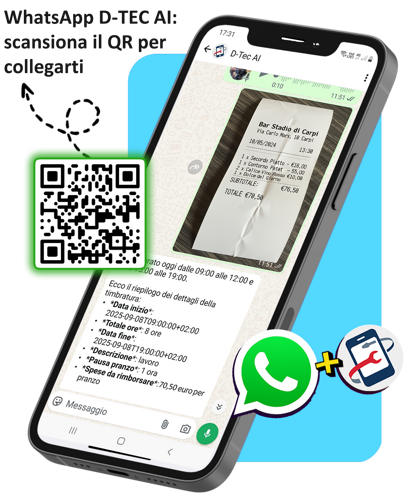
Speak or write a message on WhatsApp and the report is automatically created in D-TEC
- Photograph or scan the QR code next to this to immediately open the WhatsApp Chat D-TEC or search for and save the number 375 929 0664 on your phone and open the chat.
- Always start with “Hello!” to report a new job sheet.
- Follow this order: client → activity → technicians present → total hours → materials.
- Name the materials as in the catalog (e.g. “3 sleeves”, “2 plugs”).
- Speak at a natural pace and enunciate the numbers.
- If the AI asks questions, reply briefly.

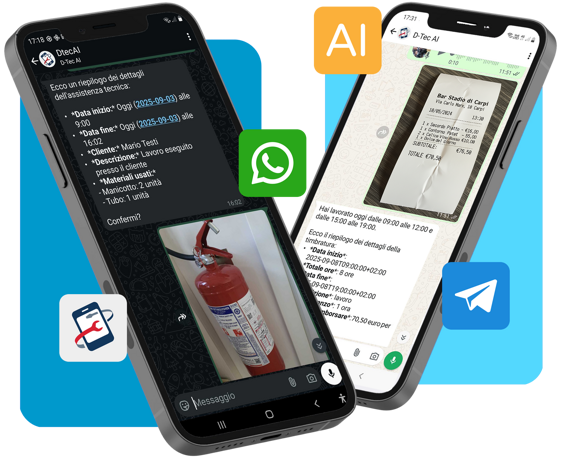
Reports filled out with a message on WhatsApp & Telegram
Follow best practices to obtain accurate data in your Cloud D‑TEC

Tips for using the tool
The WhatsApp Chat of D-TEC is a powerful tool that interprets your voice or text messages and transforms them into digital reports. Being an interpretive artificial intelligence system, it can sometimes make comprehension errors.
For this reason, it is useful to follow some simple best practices: they will help you communicate with the system clearly and have more accurate data in the company Cloud D-TEC database.
Ok, you're ready!
Read or take a photo of the QR Code below to automatically connect to the D-TEC WhatsApp Chat

WHAT CAN I do from WhatsApp or Telegram?
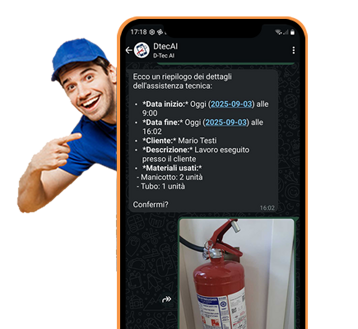
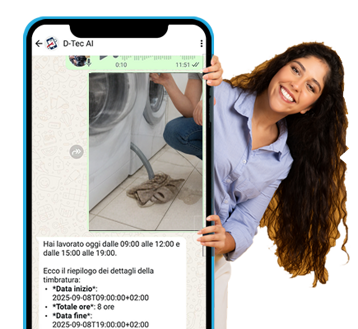
1- Automatic compilation of work reports
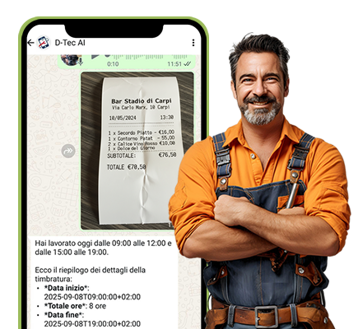
2 - Quick Entry Clock-ins and Timesheet
3 - Direct submission of Fault reports and Requests from your Clients
Client + Hours worked + Materials + Job photo
Hours worked + Expense report + Receipt photo
Fault report + Problem photo
Photograph the problem, the AI Agent is activated: instant assistance at your Customer's service
From the Customer to the finished work: hours, materials, and photos complete the details of the technical intervention performed on site
More order, fewer worries: hours, expenses and receipts managed automatically and automatically divided by employee


Questions and doubts about the D-TEC WhatsApp Chat?
Write to us on WhatsApp, we will call you back!
The D-TEC AI agents are designed to meet different needs and simplify the work of technicians and companies. The Fast & Smart Agent is ideal for those who need to quickly record field interventions: just a voice message on WhatsApp with date, activity, hours, and materials is enough to immediately have a ready report, perfect even for those not very familiar with technology.
The Custom Agent, on the other hand, is designed for more structured organizations that work with customized price lists and complex procedures. This agent not only collects data, but also verifies it with semantic search, asking for confirmations in case of doubts and automatically calculating costs according to company rules.
Alongside these, there is the Clocking Agent, useful for teams and technicians who need to manage clock-ins and clock-outs, lunch breaks, and any expenses: in just a few seconds, the digital clock-in is saved and available in the management system, with no more need for sheets or additional tools.
Together, these D-TEC AI - Artificial Intelligence Agents, allow you to work faster and more accurately, minimize errors, and always have updated and organized data in the D-TEC cloud, offering comprehensive support that adapts both to individual technicians and to companies that require control and advanced calculations.
© 2026 D-TEC. All rights reserved. | VAT: 02211990367 | WhatsApp with applied AI and data saving in the D-TEC Cloud for Italian SMEs | Made in Italy by D-One Software House | Privacy Policy